ghostcam
Halloween after dark

Halloween photos & games · By GhostCam Studio

Trick or treat.
For the group chat.

Trick friends with an AI-haunted photo. Treat them to a free ghost hunt. GhostCam gives you two ways to make friends look twice: add a fictional ghost to your own photo, or challenge them to find eight hidden visitors in Blackthorn Fair. The photo preview and browser game are free to try; clean photo downloads are optional purchases.

Make a Halloween photo that needs a second look.

Start with a picture that feels ordinary. A garden lunch, a hallway or a group photo works best when the background has space for one strange detail. Choose from 12 haunting ideas, inspect your watermarked preview, then decide whether to keep the clean image.

  • Backyard or party photo: put a distant watcher behind a fence or doorway.
  • A window or mirror: try a reflection of someone who is not in the room.
  • A well-lit wall: try a shadow with nobody there to cast it.
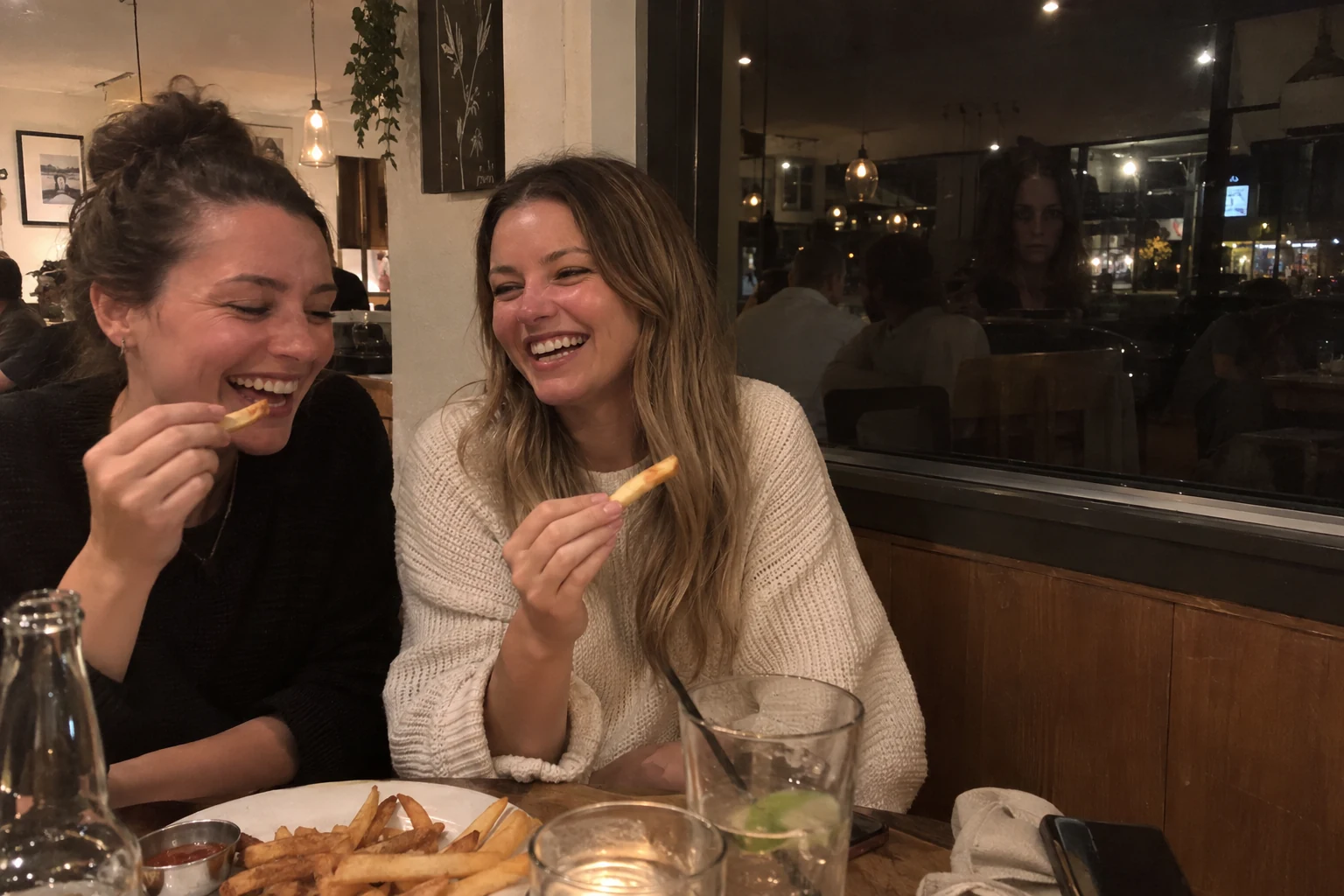
Halloween photo concept: friends at dinner with an unfamiliar figure reflected in a dark window
Original AI concept illustration, not a customer result. Inspect your actual preview before purchasing.

Compare all 12 ghost photo ideas or use the step-by-step ghost photo guide.

Play a free Halloween hidden-object game.

Blackthorn Fair is one detailed, realistic fictional scene with eight concealed ghosts. Search the abandoned stalls, windows and trees. Zoom in on your phone or computer; take a hint if you need it. There is no countdown or jump scare, and sound starts off.

Send a spoiler-free score to your group chat and compare how many visitors each person finds. No upload, account or installation is required. Progress is saved in that browser; the game does not generate a new image for every player.

Find the eight ghosts ↗

What is free, and what costs money?

GhostCam options · Prices in US dollars
OptionPriceWhat you get
Blackthorn Fair gameFreeOne eight-ghost scene, hints, zoom and score sharing.
Photo previewFree, within launch limitsA watermarked AI edit of your photo, before you decide to buy.
One clean photo$4.99 onceThe exact previewed scene, full size and without a watermark.
Three clean photos$9.99 onceYour first clean photo plus two future photos. No expiry or subscription.
One branded photo$1 onceThe full-size image with GhostCam branding.

Photo generation needs an internet connection and can take a minute or more. AI can miss details; the actual preview is the buying decision. See the refund and support policy.

A group-chat idea for Halloween night

Everyone starts with the same fair scene and shares a score before anyone reveals the hiding places. Then try a haunted version of your own party photo. Let friends find the visitor, show the original afterwards, and make the AI edit clear. Use photos everyone is happy to share.

These are fictional entertainment, not evidence of paranormal activity. The optional home-screen app keeps the studio and game nearby; they also work on the website.

Questions before you begin

How do I make a Halloween ghost photo?

Choose an ordinary photo with background space, upload it to GhostCam, pick a haunting and generate a watermarked preview. Inspect the actual result before buying. A doorway, window, fence or clear wall gives the fictional visitor somewhere to belong.

Is the Halloween photo editor free?

The watermarked preview is free within launch limits, with no account, email or card required. A clean full-size photo costs $4.99 USD; three clean photos cost $9.99 USD once. A branded full-size image is $1 USD. There is no subscription.

What is included in the three-photo pack?

Your exact first previewed image without its watermark, plus two future clean photos. Your private receipt link restores the balance. Credits have no expiry or auto-renewal; a failed generation keeps the photo credit.

Can I play a Halloween game without uploading a photo?

Yes. Blackthorn Fair is a free hidden-object game in your browser. Find eight hidden ghosts in one detailed AI-created Halloween scene. No account, upload, installation or payment is needed. Zoom, hints and optional sound are included.

Are these real ghosts or AI edits?

They are fictional AI-created entertainment. GhostCam does not detect ghosts. The example gallery contains labelled concept illustrations; your generated preview shows the actual edit you would buy. Use an AI label when sharing and choose photos you have permission to edit.

Your photo. One wrong detail.

Make them look again.

Try a limited free preview. No email or card needed.
Love your result? A clean full-size image is $4.99 USD, once.

Haunt my photo ↗

KEEP THE STRANGE CLOSE

GhostCam.
One tap away.

Add the studio to your home screen. No app store, no subscription.

  1. In Chrome or Edge, use the install icon beside the address bar or the browser’s app menu.
  2. On a Mac using Safari, choose File → Add to Dock.
  3. If installation isn’t offered, GhostCam still works in this browser.

Photo creation and purchases need a connection. Your order links remain in your delivery email.